Handwriting
𝒞𝓊𝓇𝓈𝒾𝓋ℯ ℱℴ𝓃𝓉𝓈
Cursive Text
Use this free cursive text generator to turn a name, bio, or short message into copyable Unicode text. Compare 29 styles, then try your favorite in an Instagram bio, TikTok caption, Discord profile, or message. No font download or account needed.
𝒞𝓊𝓇𝓈𝒾𝓋ℯ ℱℴ𝓃𝓉𝓈
𝓒𝓾𝓻𝓼𝓲𝓿𝓮 𝓕𝓸𝓷𝓽𝓼
ℭ𝔲𝔯𝔰𝔦𝔳𝔢 𝔉𝔬𝔫𝔱𝔰
𝕮𝖚𝖗𝖘𝖎𝖛𝖊 𝕱𝖔𝖓𝖙𝖘
𐌂𐌖𐌓𐌔𐌉𐌗𐌄 𐌅𐌏𐌎𐌕𐌔
𝘾𝙪𝙧𝙨𝙞𝙫𝙚 𝙁𝙤𝙣𝙩𝙨
ℂ𝕦𝕣𝕤𝕚𝕧𝕖 𝔽𝕠𝕟𝕥𝕤
𝐶𝑢𝑟𝑠𝑖𝑣𝑒 𝐹𝑜𝑛𝑡𝑠
Fast and free
Type your text, then compare 29 cursive and decorative Unicode styles to choose a favorite.
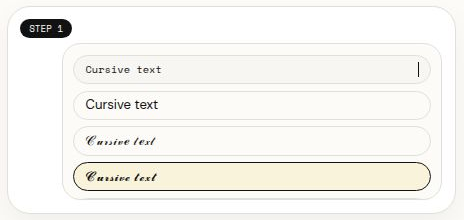
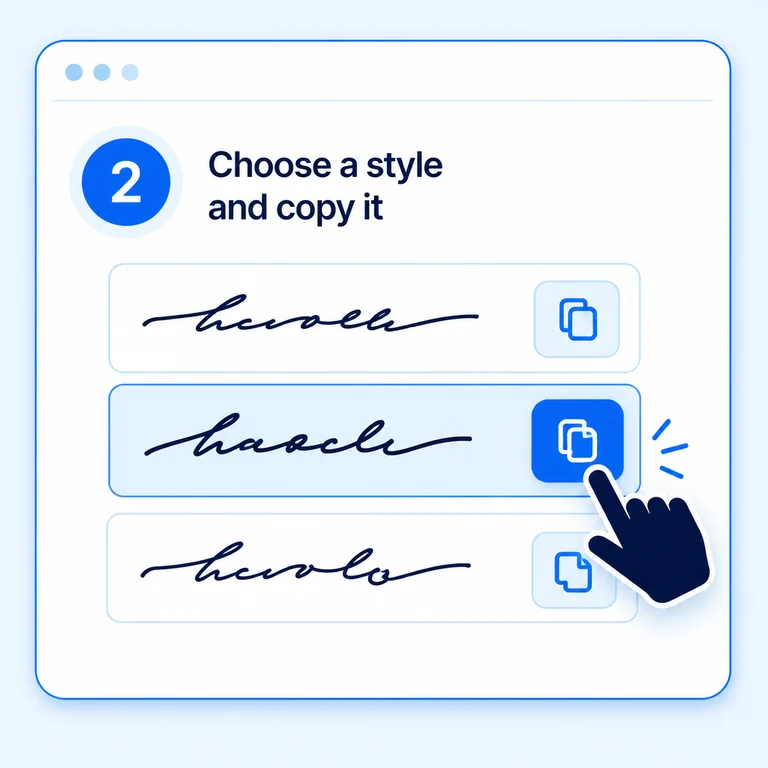
Select Copy beside a style you like. You can also select the preview text and copy it manually.
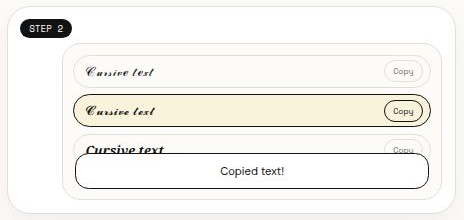
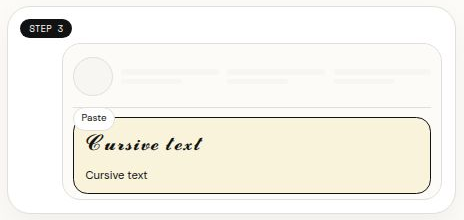
Paste the result into a profile, caption, username, or message. Some characters may appear differently across apps and devices.
Font showcase
Creative
DesignUse the generator for website titles, Instagram stories, flyers, posters, emails, and more.
Add flair to ecommerce storefronts, print-on-demand products, and physical goods.
Chat, text, and DM in style. Find a look that matches your mood.
Use decorative fonts in Discord and Twitch chats while playing or chatting with fans.
Copyable cursive text uses Unicode characters that resemble handwriting or decorative lettering. Unlike an image, the result remains text you can select and paste:
<strong>Text, not a font file:</strong> This cursive text generator maps some letters to script-like, bold, italic, or decorative Unicode characters. Copy and paste them without installing a font.
Check readability: Character support varies across devices and apps. Preview the whole phrase after pasting and keep essential details in standard text.

Create a short line of copy-and-paste cursive text for a profile, caption, or username. Use the exact words you plan to publish, then:
Enter your name, bio line, caption, or message in the text field.
Compare the script and decorative font previews using your own text.
Browse the full cursive text alphabet below — every letter and character, ready to copy.
Learn how cursive text differs from an installed font, where you can copy and paste it, and why Unicode characters may look different across devices.
A cursive text generator changes ordinary letters into Unicode characters that look like handwriting, script, or other decorative styles. The result is copyable text, not an image or a font file.
Type or paste your words into the generator, compare the live cursive text styles, and select Copy beside the version you like. Paste it into your profile, caption, username, or message.
You can try copying Unicode cursive text into bios, captions, display names, and other fields that accept those characters. Support and appearance can vary, so check the pasted result in the app before publishing.
No. This online cursive font generator creates Unicode text you can copy and paste; it does not install or download a font. The app where you paste it still needs to support the characters.
Phones, browsers, and apps do not all support the same Unicode characters or draw them alike. Try a simpler style such as Handwriting or Italic, and check the final text on the device people will use to read it.
Only if the text field accepts the characters. Many social and messaging apps support some Unicode styles, but compatibility is not guaranteed. Keep important information in regular text and verify the pasted result.
